IMPORTANT: Submit your Google Doc
Before our meeting, I would love to see your Google Doc outline of your business idea, plans, content etc.
In case you haven't submitted it as part of the calendar booking, this page was created to show you how to create the Google Doc and send it to me.

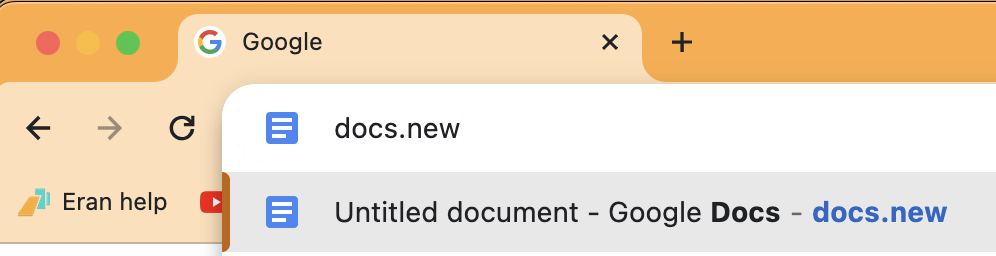
Go to your Google Chrome browser, and type "docs.new" and enter.
Do this when you are logged in to your Gmail account.
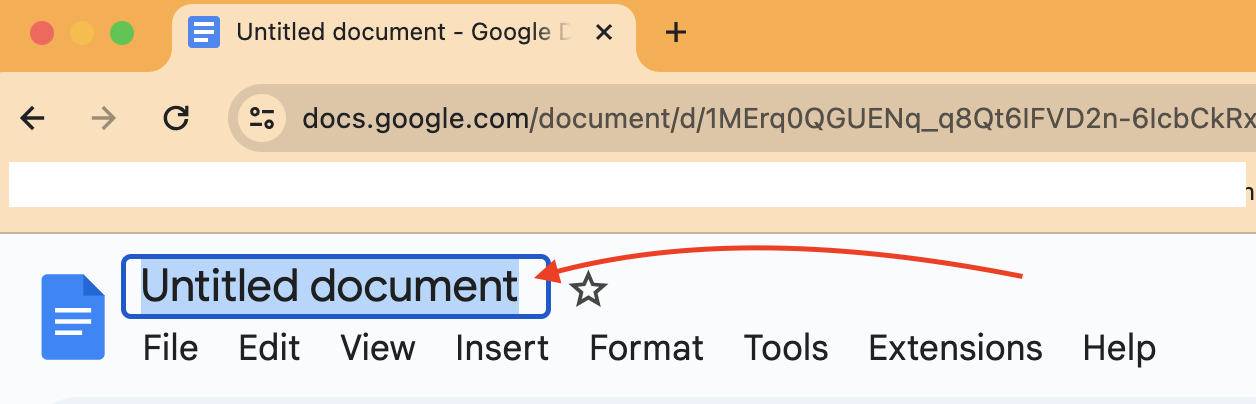
Click on the "Untitled document" and give the document a name.
Label your Google doc with your full name + business idea.
If you ever used email or word document, this is going to be the exact same process.
Just start typing and doing a "brain dump" of your business plan, here are some things you can include (but not limited to)...
Who is your ideal customer?
What do you want to sell? Tell me about the offer, what you want to price it, etc.
Who do you want to sell to?
Do you have an audience?
Do you have any social media or website or landing pages or blogs etc? Include the links.
Any challenges? What are you struggling with? What do you want help with?
Why have you chosen this particular business? Give me the back story. Your why.
Any other info you think is relevant?
Do not overthink this.
You are NOT married into anything you write.
Just write the information, the more the better.
Just give me an idea of what you are trying to accomplish and get set up.
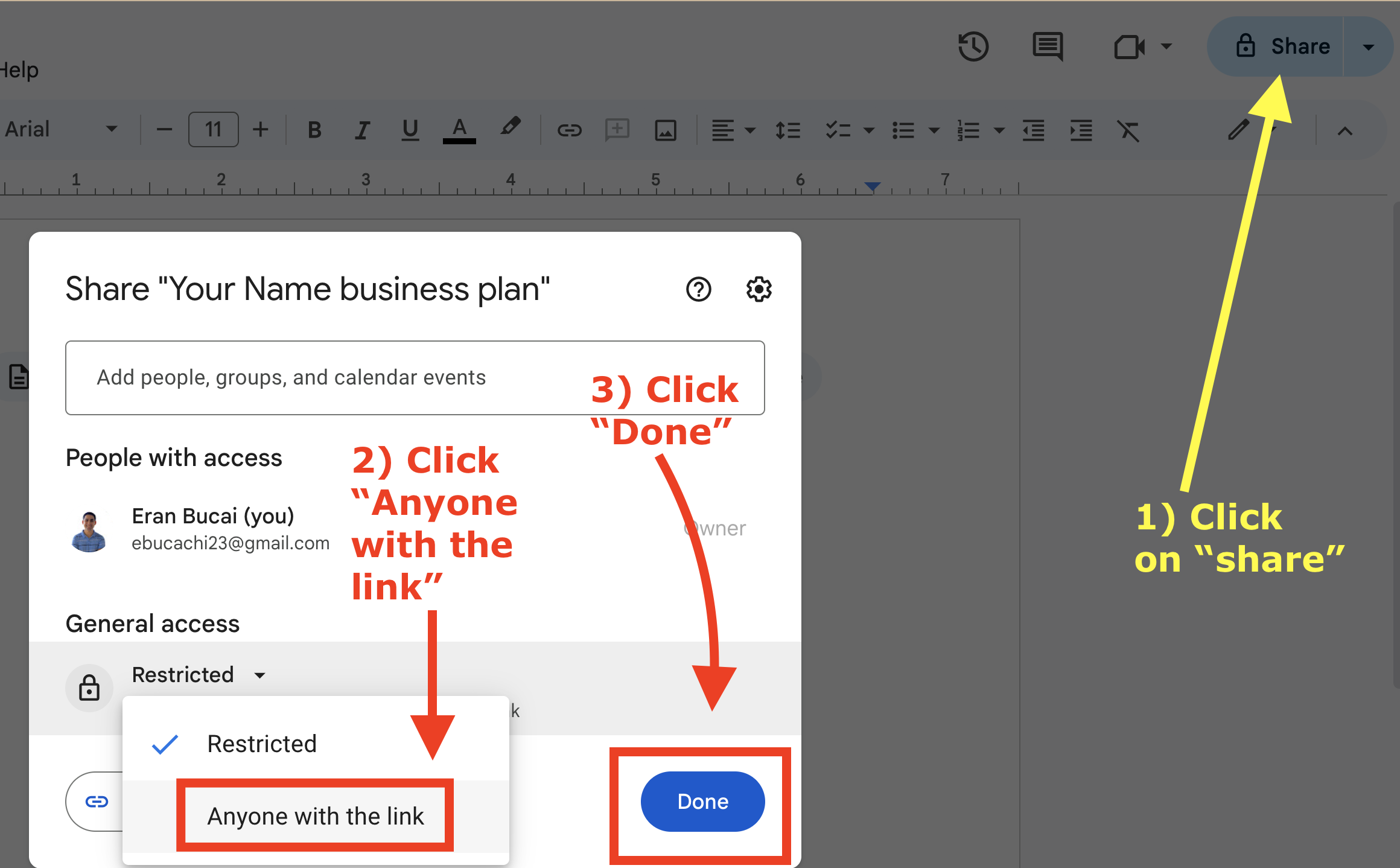
As per the first screenshot below, follow steps 1-3.
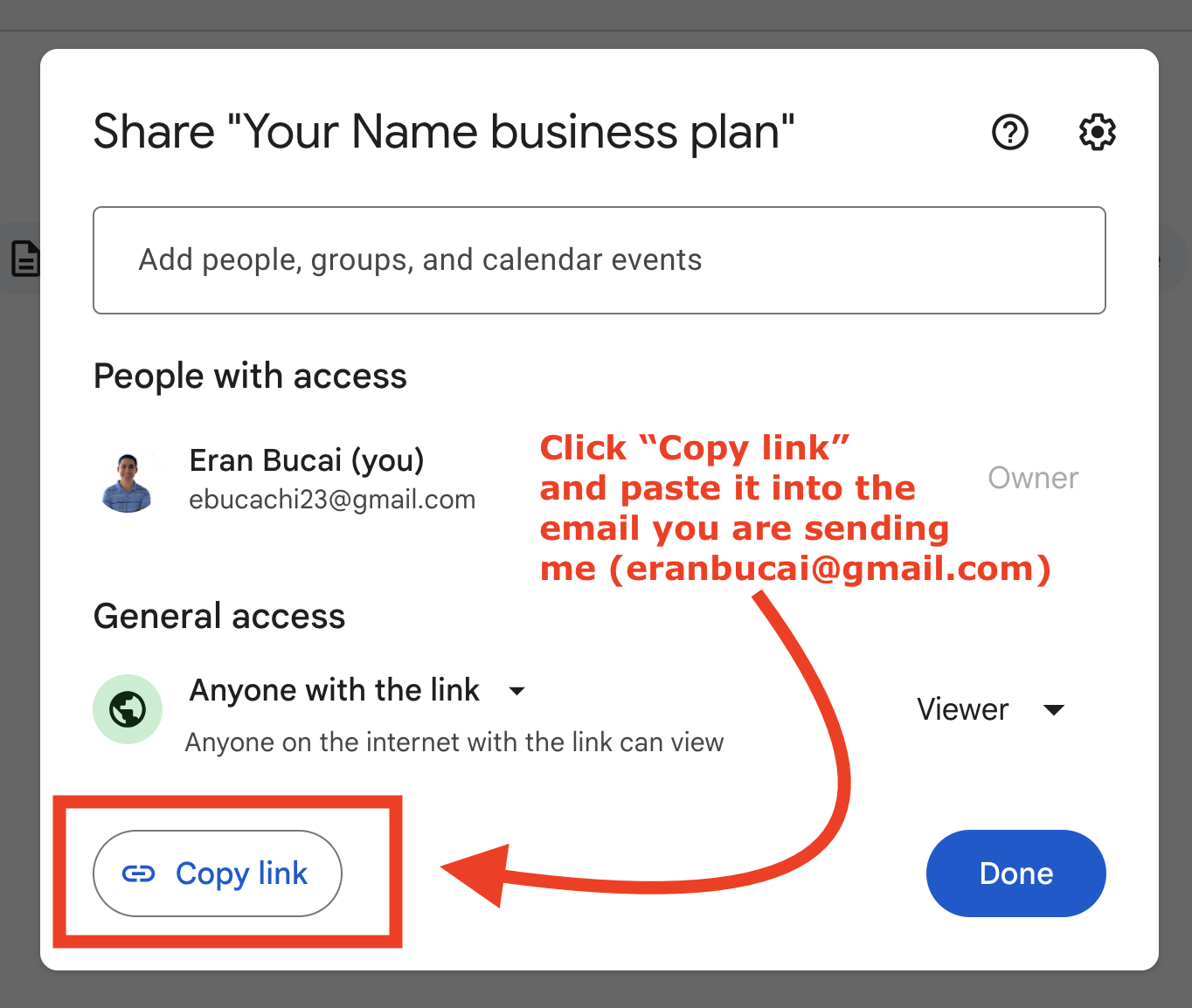
Then send me the link through email as per the second screenshot.
Send it to eranbucai@gmail.com